Getting started for retailers
This guide takes you through end-to-end integration setup from authentication through to go-live. This is for Retail (grocery, pharmacy, electronics etc.) Point of Sale, middleware providers and ERP systems.
Wolt supports 2 types of integrations for retail partners: API or SFTP integration.
Note that both API and SFTP methods serve: updating prices, setting discounts, updating inventory and item visibility, but they do not allow creating an assortment. Our onboarding team will support you with creating an assortment.
All order management operations like accepting an order and marking it ready will be made in Wolt's "Merchant App". You will be able to pull the order details in via API.
example flow
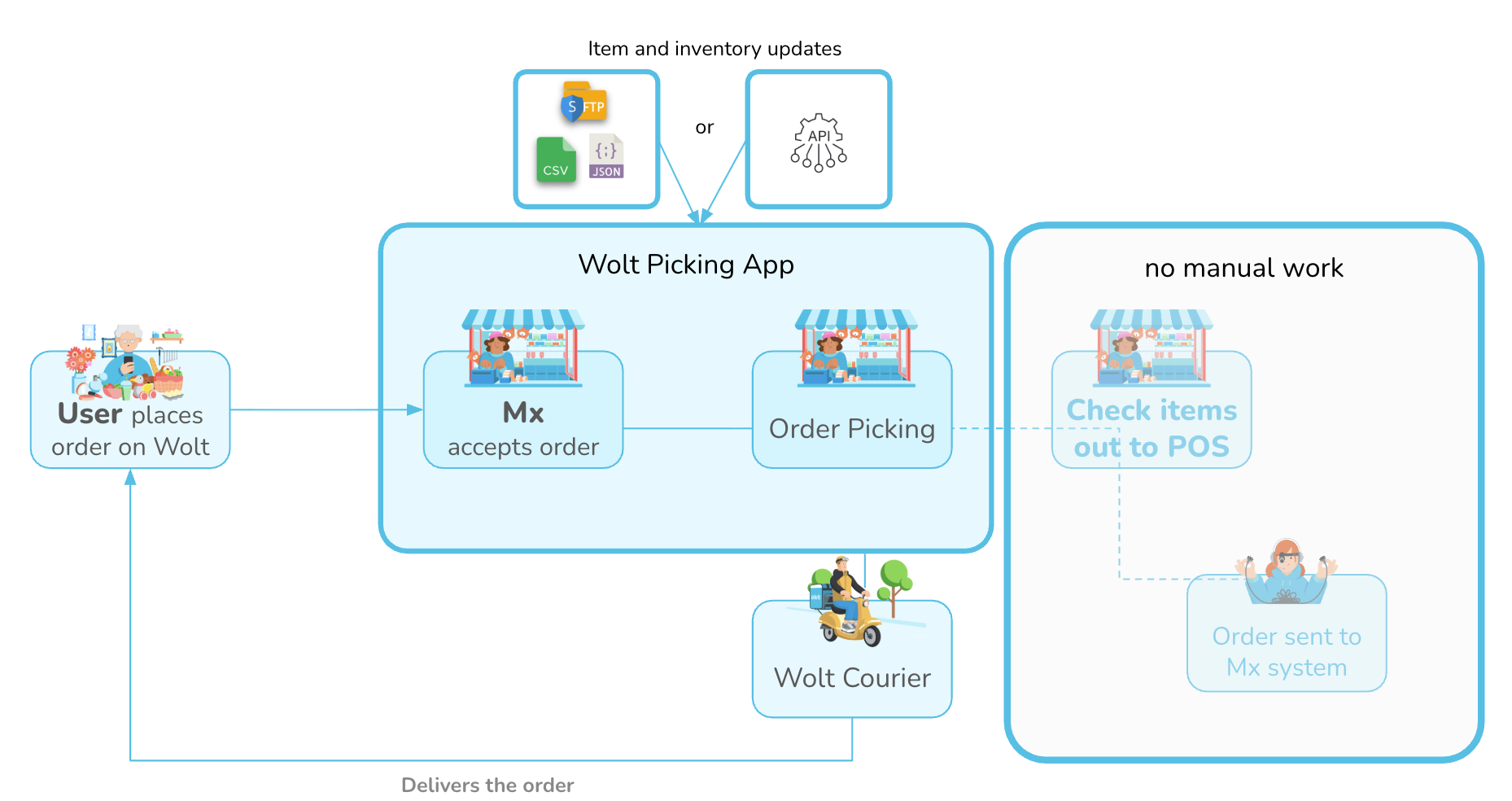
Overview of Integration Process
Once you submit your integration request with the necessary information, we’ll send over our minimum requirements and T&Cs. From there, the journey looks like this:
Get Your Credentials: Once we have everything we need to get started, we’ll issue your test credentials.
Sandbox Testing: You’ll test in a safe environment that mirrors our live system, with just a few minor constraints (e.g., no real couriers).
Demo & Fine-Tuning: Once development is complete, we'll guide you through a quick demo to iron out any bugs and ensure everything runs smoothly.
Pilot & Launch: We’ll launch at a single pilot venue first so we can monitor performance. Once everything is a proven success, your integration goes live for full rollout!
Requirements
If API: Give yourself a thorough understanding of OAuth method.
You have merchant ready and wanting to use this integration with your system and Wolt.
Setup & Configuration
1a. Item Management (SFTP)
Implement SFTP integration for: updating prices, setting discounts, updating inventory and item visibility
1b. Item Management (API)
Implement the following Menu API endpoints: update items or update inventory
2. Order
Implement the following Order API endpoints: get order
Testing & Go Live
Deploy the solution on staging environment.
Provide Wolt with staging access to your system.
Fill in the provided Solution scope document.
Schedule your Q&A (Go-Live) Demo call with a Wolt Technical Account Manager.
Agree with Wolt on the launch date.
Prepare a pilot venue. Deploy your system to production.
Postman Collection
Use the following public Postman collection.