Restaurant Order Guide
Introduction
Wolt's order integration for restaurants makes use of webhook notifications to inform you of order status changes, and allows your system to communicate directly with Wolt's via API calls, without requiring a Wolt tablet or app on site.
The integration begins once the customer places an order successfully and ends once the order is marked as delivered.
Wolt utilises various order types, which affect the logic of the order flow and endpoints that have to be used. Find the following order types below:
Instant Order - Order placed on Wolt marketplace and delivered by a Wolt courier; delivery is ASAP.
Takeaway Order - Order placed on Wolt marketplace, and picked by the customer at the restaurant / retailer.
Self-Delivery Order - Order placed on Wolt marketplace and delivered by the merchant's own courier. Wolt does not operate the delivery or logistics of these order types.
Scheduled Order - Order placed on Wolt marketplace and has a planned delivery date in the future, can be either later on the same day or up to 7-days ahead. Scheduled orders can be both delivered by a Wolt courier, or a merchant's own courier.
These four different order types utilise distinct endpoints within the order flow of each order type. Please review the flow charts below to familiarise yourself.
Instant Order, Auto-Accept (recommended)
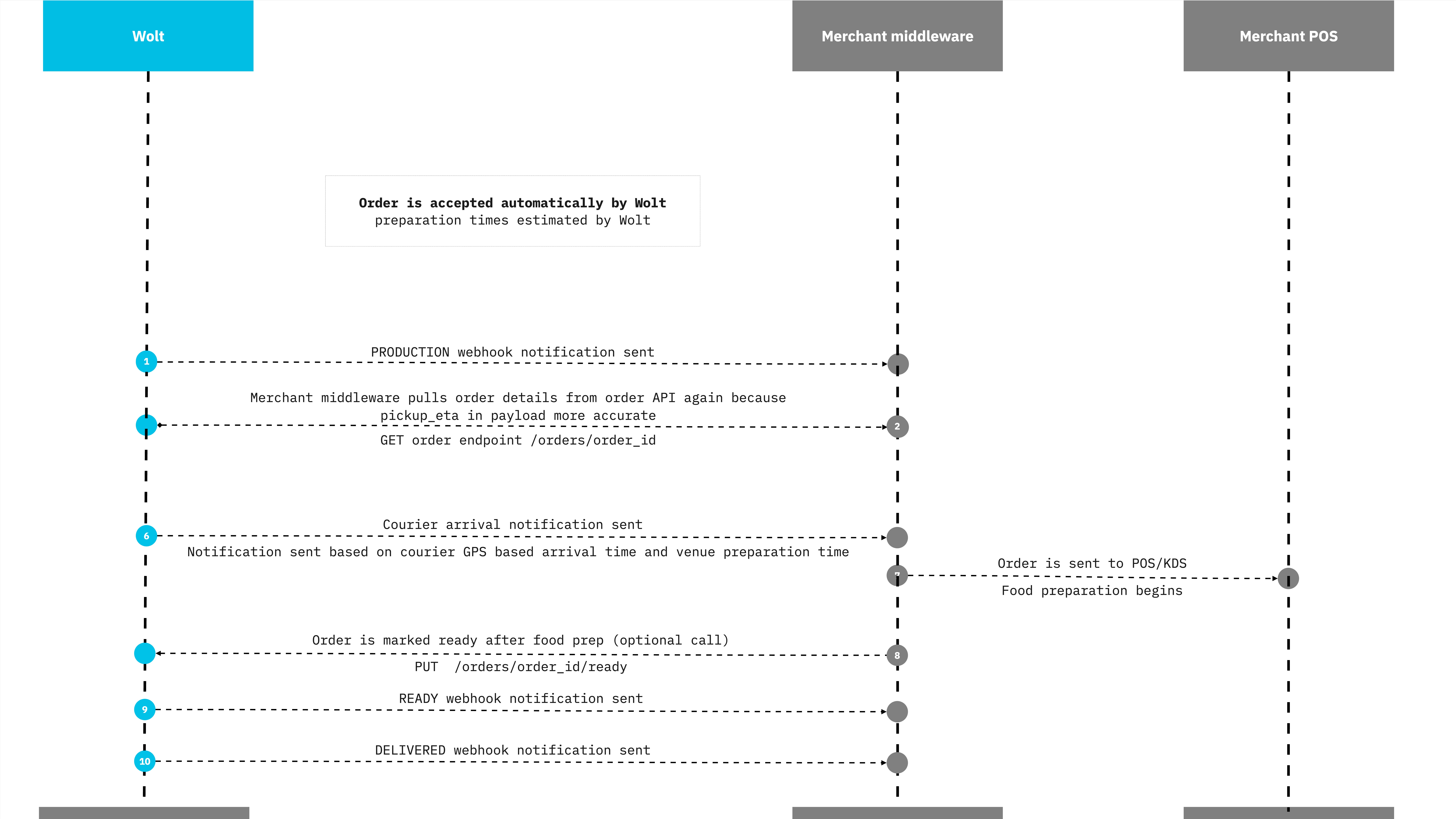
Instant Order
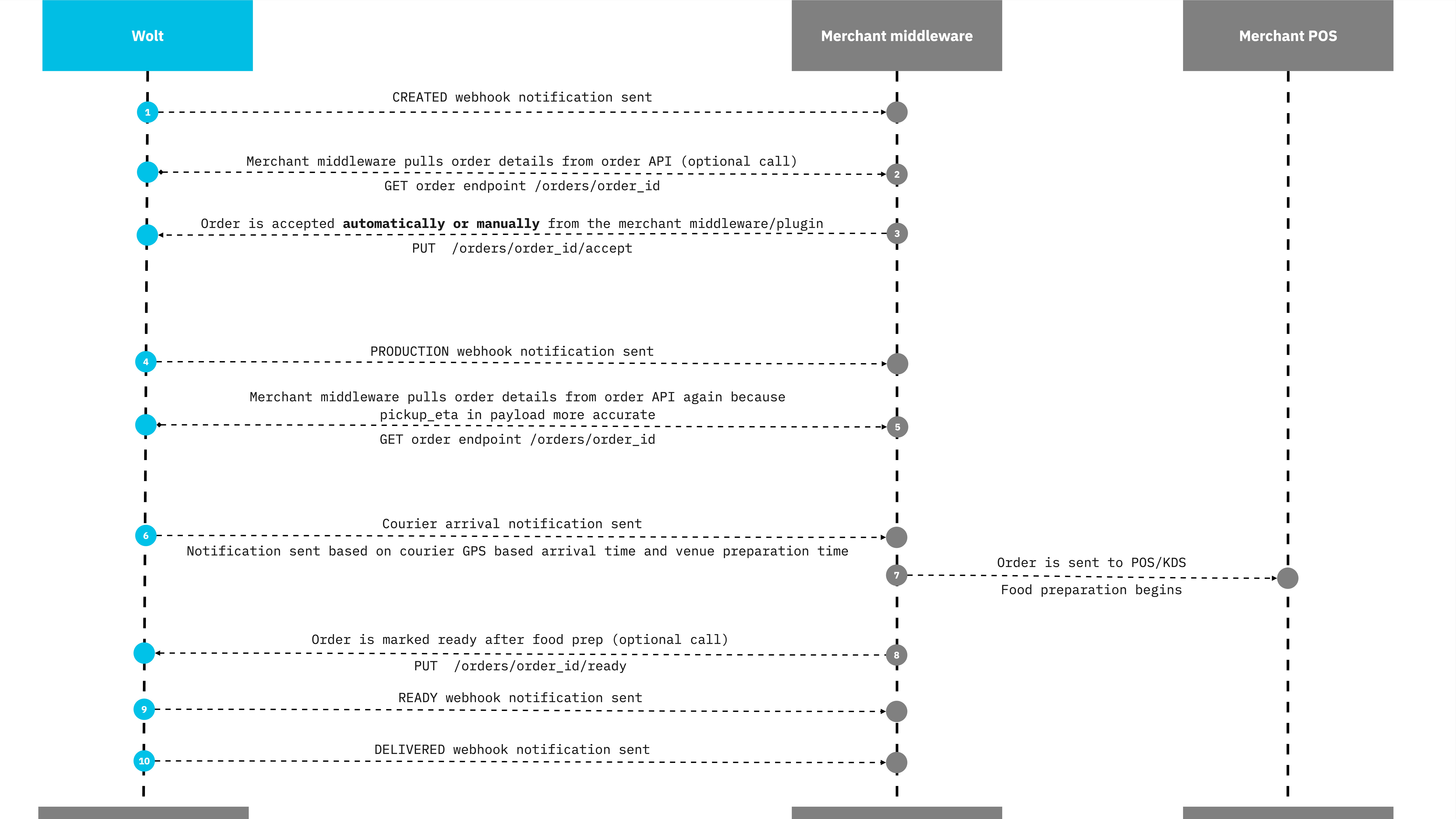
Takeaway Order
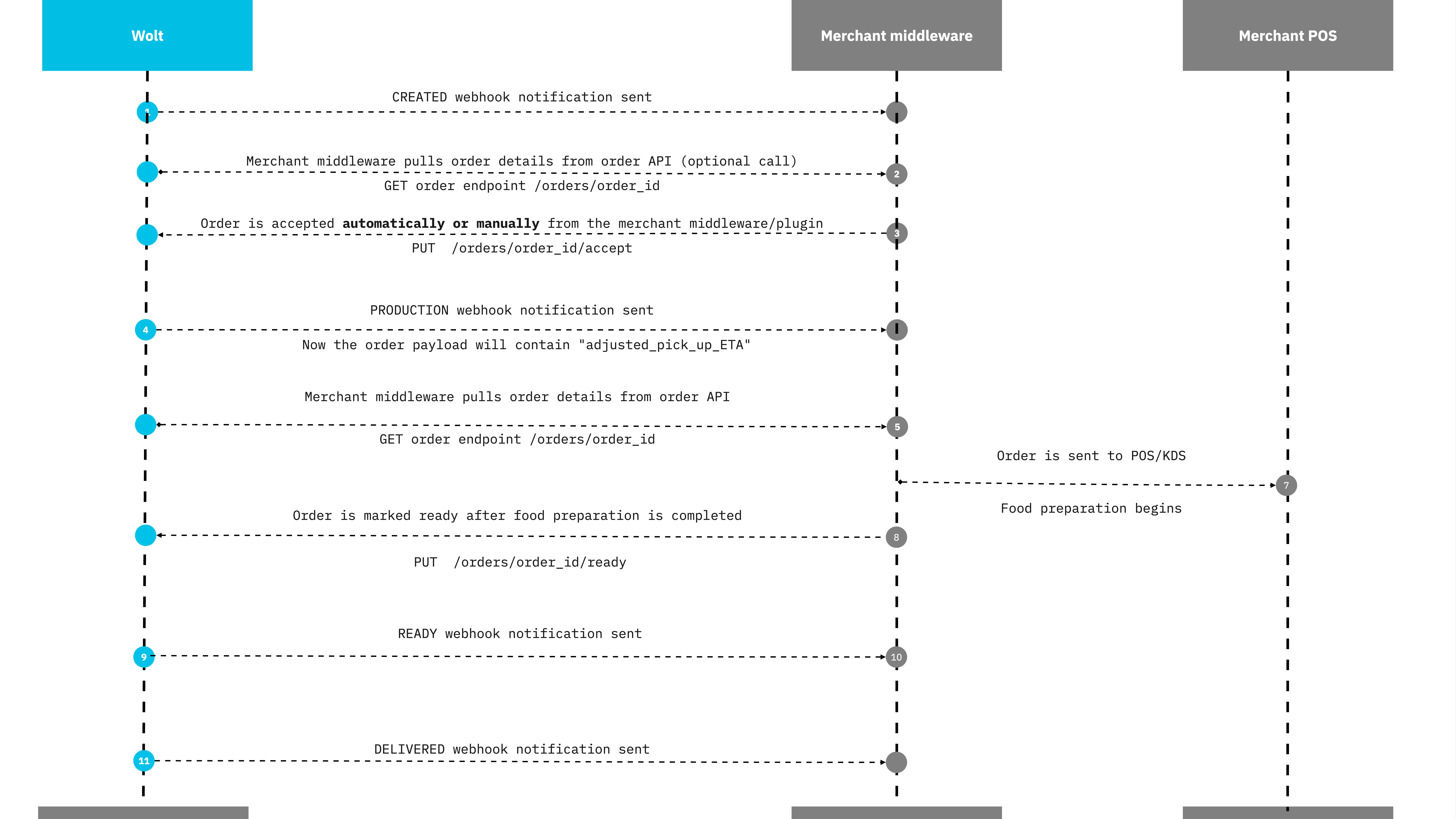
Self-Delivery Order
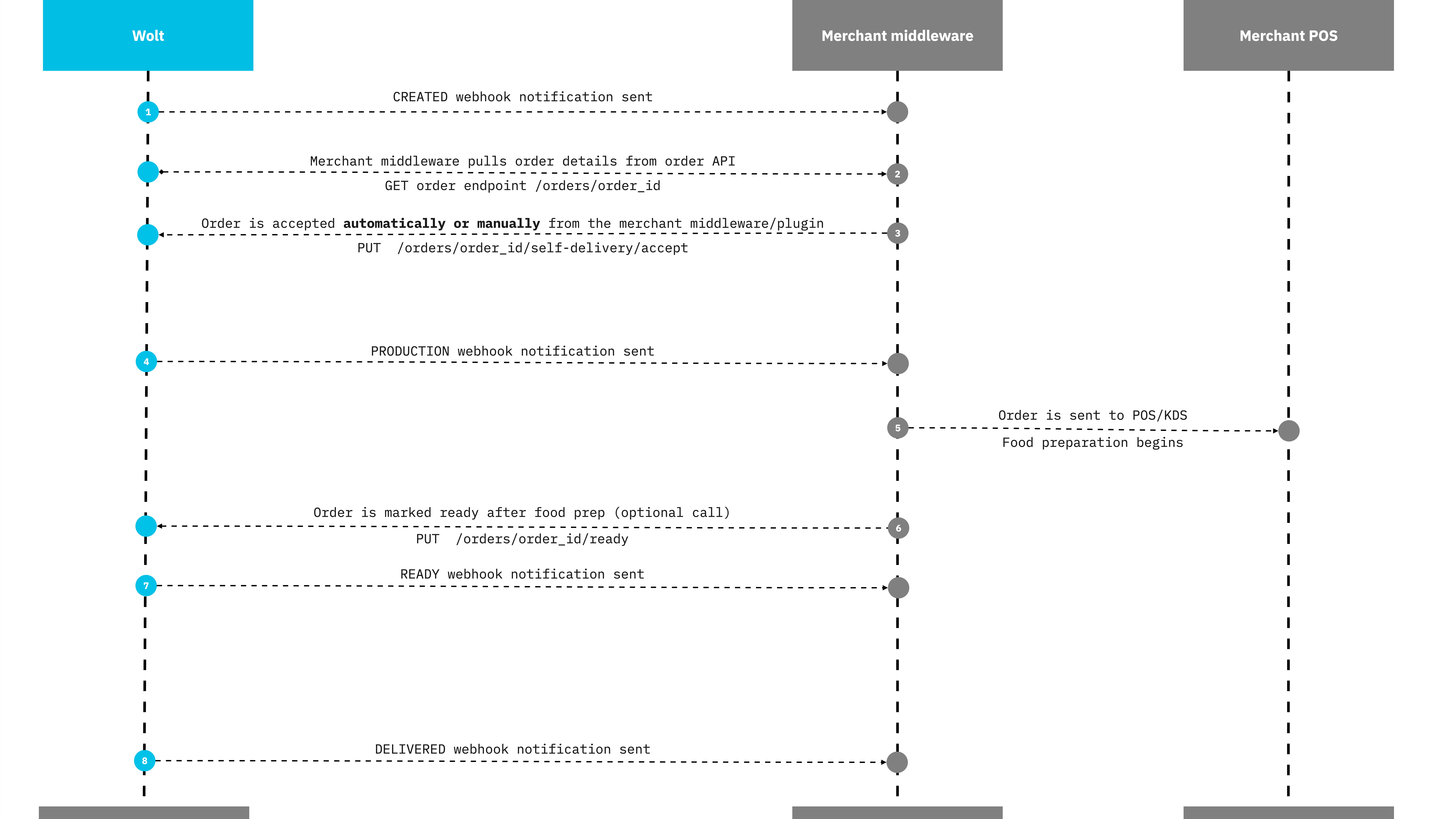
Scheduled Order
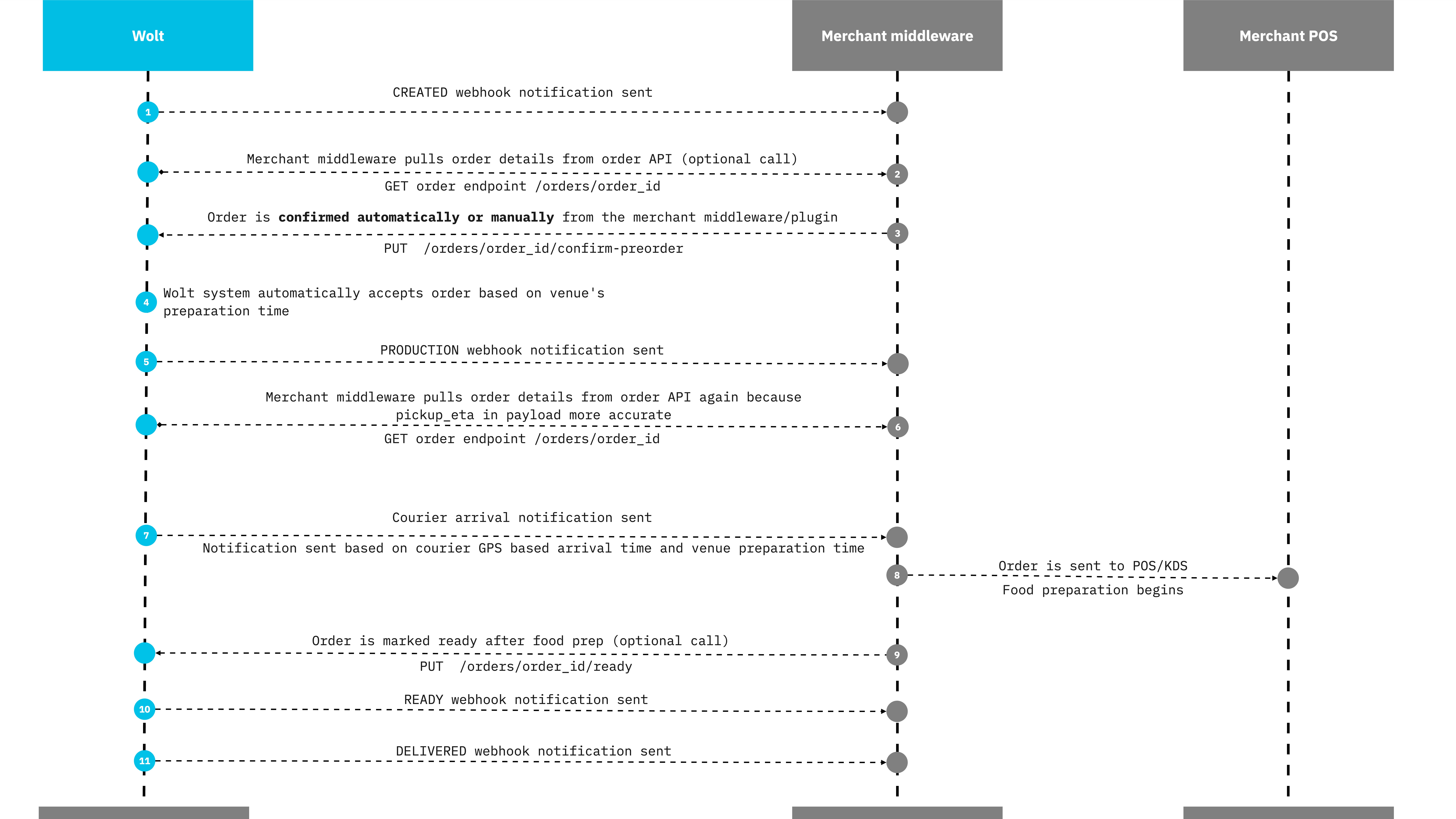
A scheduled order requires to be "confirmed" by using /orders/order_id/confirm-preorder endpoint. The accept call will be done by Wolt, which will trigger the PRODUCTION status.